
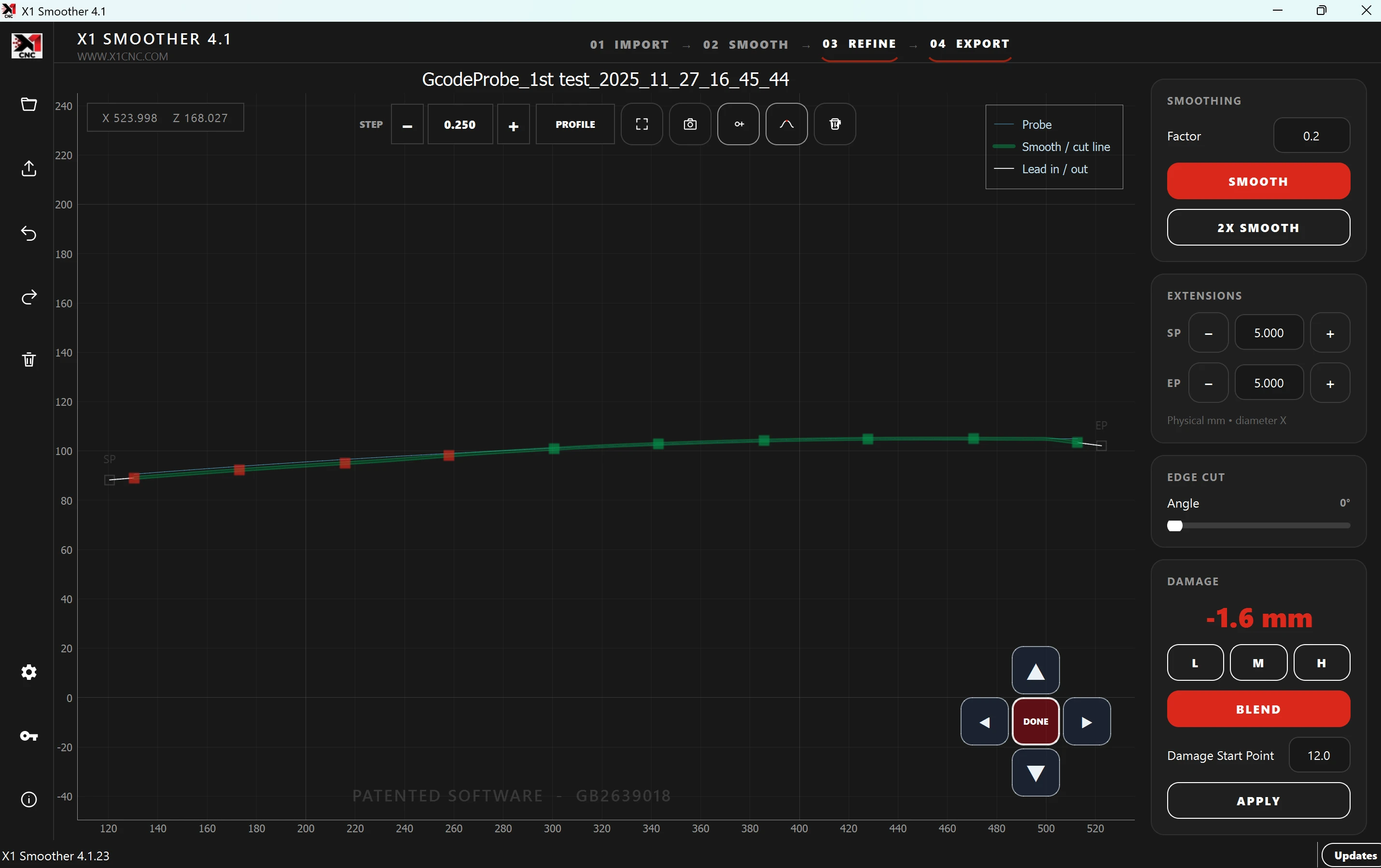
Micro-adjust the detail.
Select the points that need attention and nudge them with directional arrows using your chosen step in millimetres.
X1 Smoother · Profile optimisation
Smooth the shape, blend kerb damage and refine selected areas with precise micro-adjustment arrows. Prepare the profile for your compatible CNC workflow.
Current standalone installer: 4.1.24 · Windows setup · Automatic updates
Patented profile optimisation
Developed by Alex Asprey with over ten years of CNC specialist experience. Refine a profile through visible, deliberate adjustments.
Select the points that need attention and nudge them with directional arrows using your chosen step in millimetres.
Drag lead-in and lead-out extensions to suit the profile and review the transition before export.
Combine smoothing, kerb-damage blending and local profile editing in one focused workspace.
Standalone Smoother licences
Choose standalone Smoother for profile preparation. X1 CNC Control customers use the Smoother included in their control-software workflow.
Monthly
£60.00 GBP
Billed monthly
Annual
£650.00 GBP
Billed annually
Lifetime USB
£2,500.00 GBP
One-off USB licence
Choose a licence to view its current price, billing and access terms. X1 CNC Control includes an integrated Smoother for its machine-control workflow.
A familiar workflow
Find your machine
Looking for software or support for your alloy wheel CNC? Start with your make, model and controller.
X1 CNC Control needs a supported machine and controller configuration. Standalone Smoother compatibility depends on the profile-file format.